
A useful study desk starts with tasks, available space and the devices you use. Choose peripherals and connections around your workflow.
Measure the desk before choosing accessories
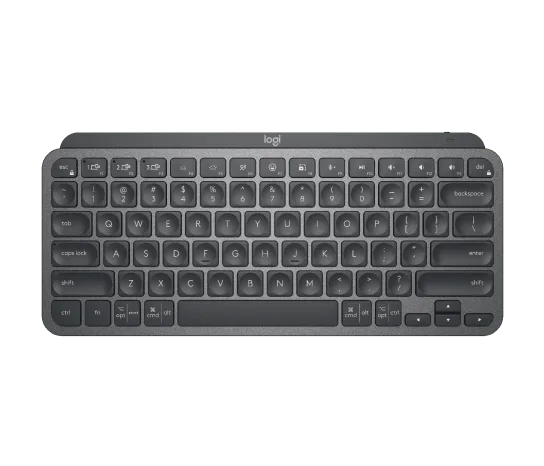
Measure desk width and space for the laptop, mouse and books. Compact keyboards allow more mouse room but usually omit a separate number pad. Frequent spreadsheet users should consider that trade-off.
Position screens and input devices for comfortable changes of posture, appropriate light and readable reflections. Organized cables help; they do not replace breaks and movement during long sessions.
Check connectivity and keyboard layout
MX Keys Mini uses Bluetooth and Easy-Switch; the referenced configuration sells the Logi Bolt receiver separately. USB-C charging does not automatically mean wired keyboard data.
The catalog image shows a Graphite US layout. Check key legends and shortcuts for your operating system. If classroom computers restrict software, review what works without additional installation.
Prioritize a practical shortlist
Prioritize a suitable computer and required software, then add peripherals solving specific needs. A high-DPI sensor does not automatically make work faster; fit, scrolling and comfortable sensitivity deserve attention.
Use Work or Study filters, save favorites and compare specifications. Keep a short list with a reason for each device. Demo prices are for demonstrating the budget process in the assignment.
Explore the demo catalog
- MacBook Air 13″ M4 16GB / 256GB
- Logitech MX Master 3S Bluetooth Edition Black
- Logitech MX Keys Mini Graphite
Compare specifications and save a shortlist before trying the simulated cart. Prices and orders on this educational website are demonstrations, with no real charge or delivery.